Tag: home ai design

  • Revamp Your Patio with AI Design Solutions

    Revamp Your Patio with AI Design Solutions

    Transform Your Space with AI Outdoor Patio Design

    Unleash Your Creativity with Effortless Design

    Imagine stepping into your backyard and being greeted by a space that feels like an extension of your home—a perfect blend of comfort and beauty. Our AI Outdoor Patio Design tool is here to make that vision a reality. Whether you’re a DIY enthusiast eager to flex your creative muscles or an Airbnb host looking to enhance guest experiences, our solution provides the perfect canvas for your outdoor masterpiece.

    Gone are the days of struggling with mismatched furniture or uninspiring layouts. With our intuitive AI, you can experiment with different styles, colors, and configurations until you find the one that speaks your language. It’s like having a personal designer, minus the hefty price tag.

    Plus, you’ll have access to a wealth of resources and tips, ensuring you’re never alone on your design journey. Transforming your patio into a stunning oasis has never been this easy or enjoyable.

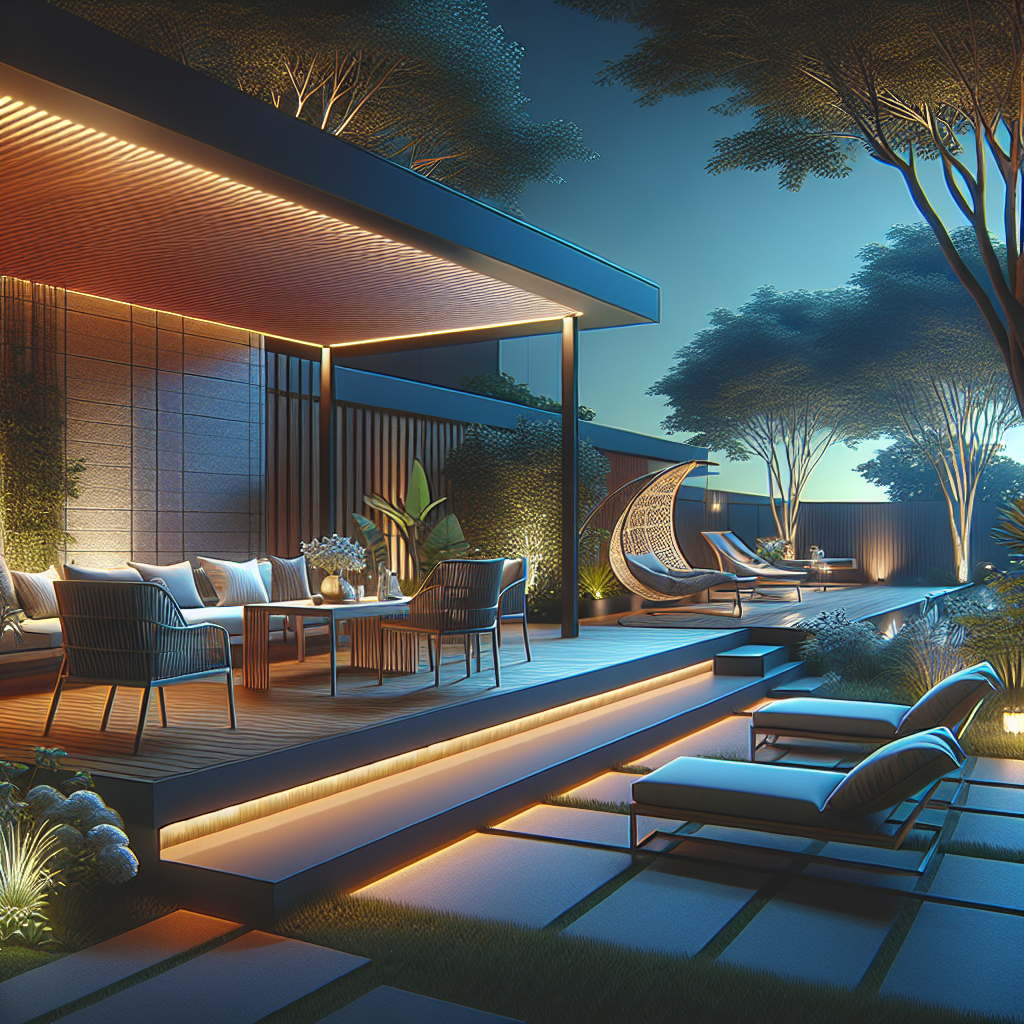
    A modern outdoor patio with AI-designed furniture and lighting, showcasing a blend of comfort and style.
    A modern outdoor patio with AI-designed furniture and lighting, showcasing a blend of comfort and style.

    Boost Property Value and Guest Satisfaction

    Your outdoor space isn’t just a place to barbecue; it’s an investment. A well-designed patio can significantly increase your property’s value and curb appeal. For Airbnb hosts, a captivating outdoor area can be the difference between a guest choosing your listing over another.

    Our AI Outdoor Patio Design tool ensures your space is not only attractive but also functional. By optimizing layouts and suggesting features that maximize comfort and usability, you’ll create an area that guests will rave about, leading to glowing reviews and repeat bookings.

    With our easy-to-use platform, you can quickly bring your ideas to life and see immediate results. Whether you’re planning a cozy retreat or a lively entertainment space, our AI has got you covered.

    Save Time and Money with Smart Solutions

    Designing an outdoor space can be a daunting task, often requiring significant time and financial commitment. But with AI Outdoor Patio Design, you can achieve professional results without breaking the bank. Our tool streamlines the process, helping you avoid costly mistakes and unnecessary purchases.

    By providing tailored suggestions and budget-friendly options, you’ll make informed decisions that align with your vision and your wallet. The smart algorithms work tirelessly to ensure every choice adds value to your space, transforming it into a place you’ll love to spend time in.

    Say goodbye to endless scrolling through design blogs or spending hours in home improvement stores. Our AI does the heavy lifting, so you can focus on enjoying the process and the end result.

    • Intuitive drag-and-drop interface for easy design.
    • Personalized style recommendations based on preferences.
    • Budget-friendly tips to maximize your investment.
    • Access to a library of design inspirations and trends.
    • Real-time visualization to see your design come to life.
    • Expert support and resources at your fingertips.
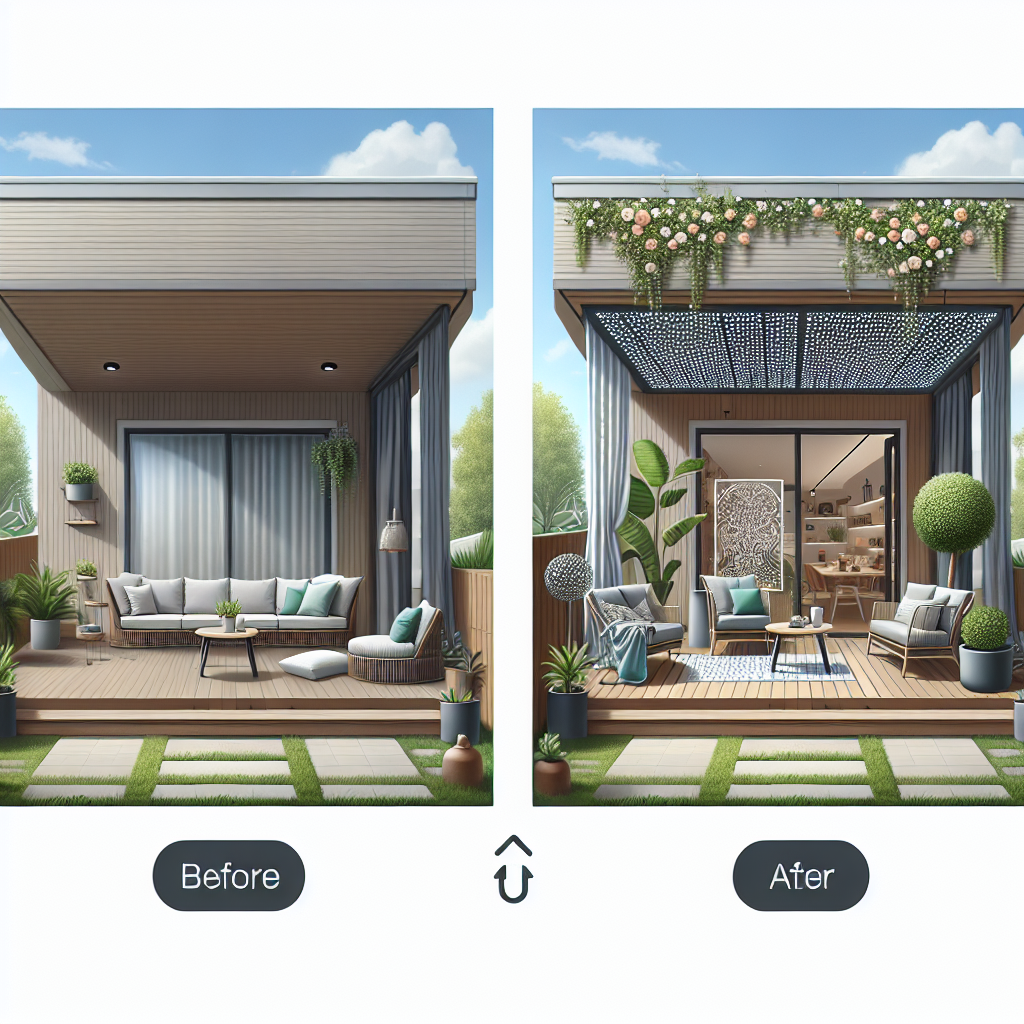
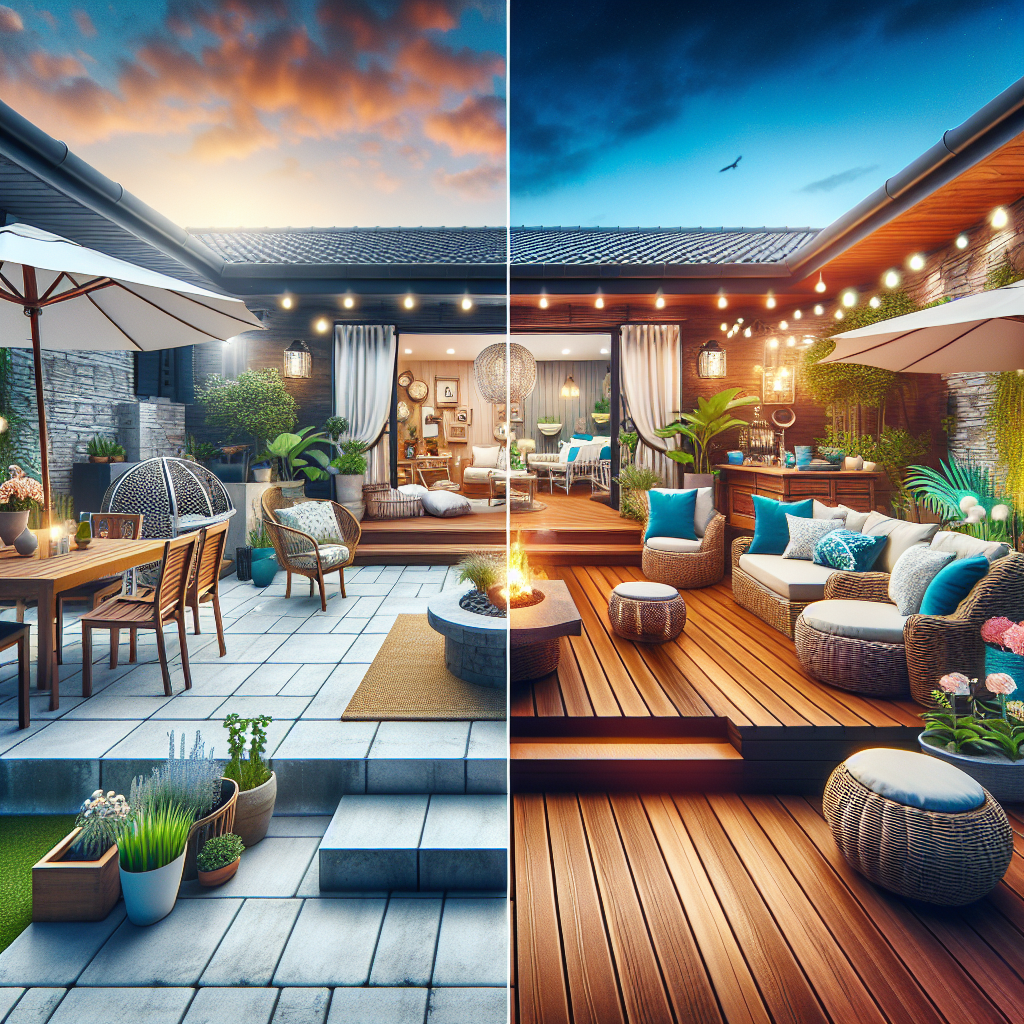
    A before-and-after comparison of a patio transformation using AI design tools, highlighting the changes in layout and decor.
    A before-and-after comparison of a patio transformation using AI design tools, highlighting the changes in layout and decor.

    Before: A cluttered, uninspiring patio space that you avoid. After: A vibrant, inviting outdoor haven that draws you and your guests in, thanks to the magic of AI Outdoor Patio Design.

    Start a free makeover →

    Frequently Asked Questions

    What is AI Outdoor Patio Design? It’s a tool that helps you design your outdoor space with the aid of artificial intelligence.

    Is it suitable for beginners? Absolutely! Our platform is designed for users of all skill levels.

    How much does it cost? We offer a variety of pricing plans, including a free trial to get you started.

    Can I use it for large patios? Yes, our tool is versatile and can handle spaces of all sizes.

    Do I need any special software? No, everything is accessible online through our platform.

    Can I see a preview before finalizing? Yes, our real-time visualization lets you preview changes instantly.


    A cozy outdoor retreat with a fire pit and seating area, designed using AI technology for optimal comfort and aesthetics.
    A cozy outdoor retreat with a fire pit and seating area, designed using AI technology for optimal comfort and aesthetics.
  • AI-Driven Outdoor Patio Design

    AI-Driven Outdoor Patio Design

    Transform Your Space with AI Outdoor Patio Design

    A modern AI-designed patio with sleek furniture and ambient lighting, showcasing a blend of natural and artificial elements.
    A modern AI-designed patio with sleek furniture and ambient lighting, showcasing a blend of natural and artificial elements.

    Why Choose AI for Your Patio Design?

    Imagine stepping into a patio that feels like a personal oasis, designed to perfection without lifting a finger. AI Outdoor Patio Design offers you the chance to create stunning outdoor spaces tailored to your taste and lifestyle. Say goodbye to boring patios and hello to a backyard paradise.

    Whether you’re a DIY homeowner eager to up your outdoor game or an Airbnb host looking to wow your guests, our AI-driven design tool is here to make your dreams a reality. With just a few clicks, transform your patio into a space that tells your unique story.

    Save Time and Money

    Gone are the days of endless consultations and pricey design fees. With AI Outdoor Patio Design, you can achieve professional results without the professional price tag. Our tool streamlines the design process, cutting down on the time and cost typically associated with outdoor renovations.

    Spend less time worrying about logistics and more time enjoying your beautifully designed space. Let technology handle the heavy lifting while you focus on what truly matters: creating memories in your new favorite spot.

    Customizable Design Solutions

    No two patios are the same, and neither are our designs. Our AI takes your preferences and turns them into a one-of-a-kind outdoor experience. Whether you crave a rustic retreat or a modern escape, our tool adapts to your style, ensuring every detail fits your vision.

    Experience the joy of a personalized design without the hassle. Our AI understands your needs and helps bring your ideas to life, making it easy to achieve a patio that feels authentically you.

    Before and after images of a patio transformation, highlighting the drastic change from a plain space to a stylish outdoor oasis.
    Before and after images of a patio transformation, highlighting the drastic change from a plain space to a stylish outdoor oasis.

    Core Features

    • Intuitive design interface that simplifies the process.
    • AI-driven suggestions tailored to your taste and space.
    • Real-time 3D visualization of your patio design.
    • Budget-friendly options to keep costs under control.
    • Access to a wide range of materials and furnishings.
    • Seamless integration with existing landscaping elements.

    Before and After: See the Magic Unfold

    Picture this: a dull, uninspiring patio transformed into a vibrant haven of relaxation and style. Our AI technology empowers you to see the potential in your outdoor space with stunning visual comparisons. Watch as your patio goes from drab to fab with just a few clicks.

    A 3D visualization of a patio design, featuring customizable elements like furniture, plants, and lighting tailored to personal preferences.
    A 3D visualization of a patio design, featuring customizable elements like furniture, plants, and lighting tailored to personal preferences.

    Ready for a Change?

    It’s time to redefine your outdoor living experience. Start a free makeover → and witness the power of AI Outdoor Patio Design in action. Your dream patio is just a click away!

    Frequently Asked Questions

    What is AI Outdoor Patio Design? It’s a revolutionary tool that uses AI technology to help you create stunning patio designs effortlessly.

    How does the AI understand my style? Our AI analyzes your input preferences and suggests designs that match your unique taste.

    Is it expensive to use this service? Not at all! We offer budget-friendly solutions without compromising on quality.

    Can I make changes to the design? Absolutely! Our tool allows for easy modifications to suit your evolving vision.

    Is there customer support available? Yes, our team is here to assist you at every step of your design journey.

    How do I get started? Simply click on the makeover link and begin exploring the possibilities!

  • How to Redesign Your Living Room with AI: A Step-by-Step Guide

    Ready for a living room makeover? This step-by-step guide shows how to use AI interior design tools to plan and visualize a fresh new living room style with ease.

    A living room is the heart of many homes – it’s where you relax, entertain guests, and spend quality time. If yours feels a bit stale or mismatched, a redesign can breathe new life into the space. But where to start? Using AI interior design tools, you can explore ideas and plan your living room makeover before lifting a paintbrush or buying any furniture. Let’s walk through a step-by-step approach to redesigning a living room with the help of AI.

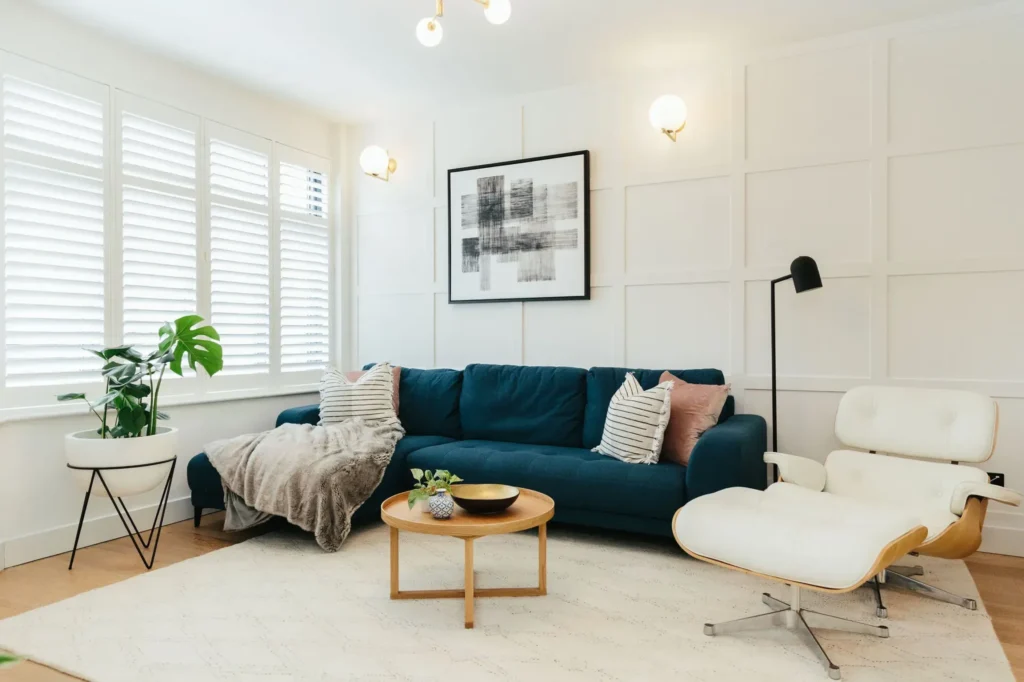
    [Image Needed: A living room photo with an overlay of design suggestion icons (like color swatches, furniture ideas) to illustrate planning with AI]

    Step 1: Take Clear Photos of Your Living Room

    To let AI help you, you’ll need good pictures of your current space. Tidy up a bit so the room’s features are visible (e.g., move that laundry basket out of the way).

    • Shoot from Multiple Angles: Stand in each corner and take a photo toward the center. This gives you (and the AI) a complete view of the room.
    • Good Lighting: Take photos during the day with curtains open, if possible. Bright, even lighting helps the AI better “understand” the space in the image.
    • Include Key Details: Make sure your photos show all the important elements, like windows, doors, and that fireplace or built-in shelves. The AI will use these as reference points.

    Step 2: Find the Right AI Design Tool

    There are several AI interior design apps and websites. Some popular ones include Hestior, Planner 5D’s AI feature, or even general design platforms like HomeStyler with AI add-ons.

    • Choose Your Tool: For this guide, let’s say you choose Hestior (with the Flux Canny model) because it’s known for clear and realistic transformations.
    • Create an Account: If required, sign up and familiarize yourself with the interface. Most tools have a straightforward upload-and-go design.
    • Check Limits: Free versions might limit how many designs you can generate per day, or the resolution of outputs. Know what you’re working with, or consider a trial of a premium version for this project if needed.

    Step 3: Upload Your Photos

    Once you’re in the tool:

    • Upload the best photos you took of your living room. Usually, it’s as simple as drag-and-drop or tapping an upload button.
    • Some tools let you mark the room type (e.g., “living room”), which can help tailor suggestions. Do that if prompted.
    • Wait for the photos to process. The AI might take a moment to map out your room’s structure.

    Step 4: Choose a Style or Theme

    Now the fun part – deciding what direction you want for the new design.

    • Browse Inspiration: Many AI tools have preset styles like “modern”, “coastal”, “industrial chic”, etc. Flip through these if you’re not sure what you want.
    • Select or Describe: Either pick one of the preset styles or type in your own description. For example, you might type: “mid-century modern living room with warm colors and plenty of plants” or “minimalist Zen style living room”.
    • Keep It Concise: You can always refine later, but start with a clear main idea for the AI to work with.

    Step 5: Generate Design Ideas

    Hit that “Go” or “Generate” button! The AI will work its magic:

    • In seconds (or maybe a minute or two, depending on the tool), you’ll see one or several images of your living room – redesigned according to the style you chose.
    • Take a moment to analyze the results. What do you like? Maybe the suggested wall color looks great, and the way it rearranged furniture makes the space feel more open.
    • Also note what you dislike or what feels off. Perhaps the AI added a coffee table style you’re not a fan of, or the room looks a bit too sparse for your taste.

    Step 6: Refine the Design

    Rarely is the first output perfect. Use the tool’s options to tweak:

    • Adjust the Prompt: If the room was too sparse, edit the style description to add “with cozy decor” or “include wall art”. Or if the colors were off, specify the palette (“with navy blue and cream colors”).
    • Try Different Styles: Generate a new design with a different theme entirely (maybe try “bohemian chic” if “mid-century modern” didn’t resonate). It’s worth exploring a few looks.
    • Mix and Match Ideas: You might end up with 3 AI-generated designs you like for different reasons. Perhaps one has the perfect layout, another has a color scheme you love, and the third introduced an accent chair that’s calling your name. That’s great – you can combine these ideas in the real-world plan.

    Step 7: Finalize Your Plan

    By now, you likely have a good sense of what you want to do:

    • Save the AI-generated images that you love (most tools let you download them).
    • Make a list of changes you’ll implement: e.g., paint walls light gray, get a green velvet sofa (like in the AI image), move the bookshelf to the other corner, add a large round mirror above the console table.
    • If you’re unsure about some choices, show the AI images to friends or family to get their input. Sometimes an outside perspective confirms which design is most inviting.

    Step 8: Implement Your Redesign

    AI has done a lot of the heavy lifting in visualizing, but now it’s your turn to bring it to life:

    • Shopping: Use the AI image as inspiration to find similar furniture and decor. Identify key pieces (e.g., a wooden mid-century style TV stand) and search for those.
    • Painting & Rearranging: If a new wall color is in the plan, test a sample in your room’s lighting before committing. Rearrange furniture per the AI’s layout to improve flow.
    • Small Touches: Add the decor (plants, lamps, art) that the AI suggested to tie the design together.

    Step 9: Enjoy Your New Living Room!

    The final step – sit back and enjoy the transformed space you’ve created. Thanks to a bit of AI-powered foresight, you avoided a lot of trial-and-error and guesswork. You could confidently choose that navy sofa knowing it would look great, or rearrange furniture knowing it fits well.

    Remember, whether or not every detail ended up exactly like the AI image, you used it as a roadmap to navigate your redesign. And because you actively guided the process at each step, it’s truly your personal touch that shines through in the end result.

    By following this guide, anyone can tackle a living room makeover with the confidence of a clear vision. AI is like a design buddy that helps you see possibilities, but you remain the true designer of your home.

×

Login